
Case study · CMS and shop platform
From Classic ASP to one platform that runs every site
An ageing system replaced by a modern CMS and shop, shared by several sites. Our own shop, artisan.design, runs on it.
The short version
We started with our own shop
Before advising anyone else, we moved our own online store off Classic ASP with AI in the workflow, and built the replacement so that every other site could run on it too.
- Problem
- A set of websites and shops running on Classic ASP: hard to change, poor on phones, and each one maintained separately. One of them, our own shop, ranked first for its main search term, so nothing could be allowed to break.
- Built
- One platform of shared packages covering pages, media, shop, payments, blog and bookings. Each site installs the platform at a version, keeps its own brand and database, and gets the same admin.
- AI used
- To crawl and inventory the old sites and write the migration scripts. In the product itself: a visitor chatbot that answers only from the site’s own pages and products, and an assistant that proposes better product names and descriptions for staff to accept or reject.
- Result
- artisan.design now runs on the platform with card payments, and other sites run on the same packages. A fix or a new feature is written once and reaches every site as a new version.
Flow 01
Moving a site off Classic ASP
- 01AIInventory the old siteEvery page, product, image and address on the Classic ASP site is crawled and listed.
- 02Export the dataProducts, customers and order history are pulled out of the old database.
- 03AIWrite the importScripts map the old shapes onto the new ones, and can be run again until the result is right.
- 04Keep every addressOld URLs are carried across or redirected, so search rankings and bookmarks survive.
- 05Lay out the pagesImported words are rebuilt as proper layouts in the editor, on the real page.
- 06Switch overThe domain is pointed at the new site once the browser tests pass against it.
The result
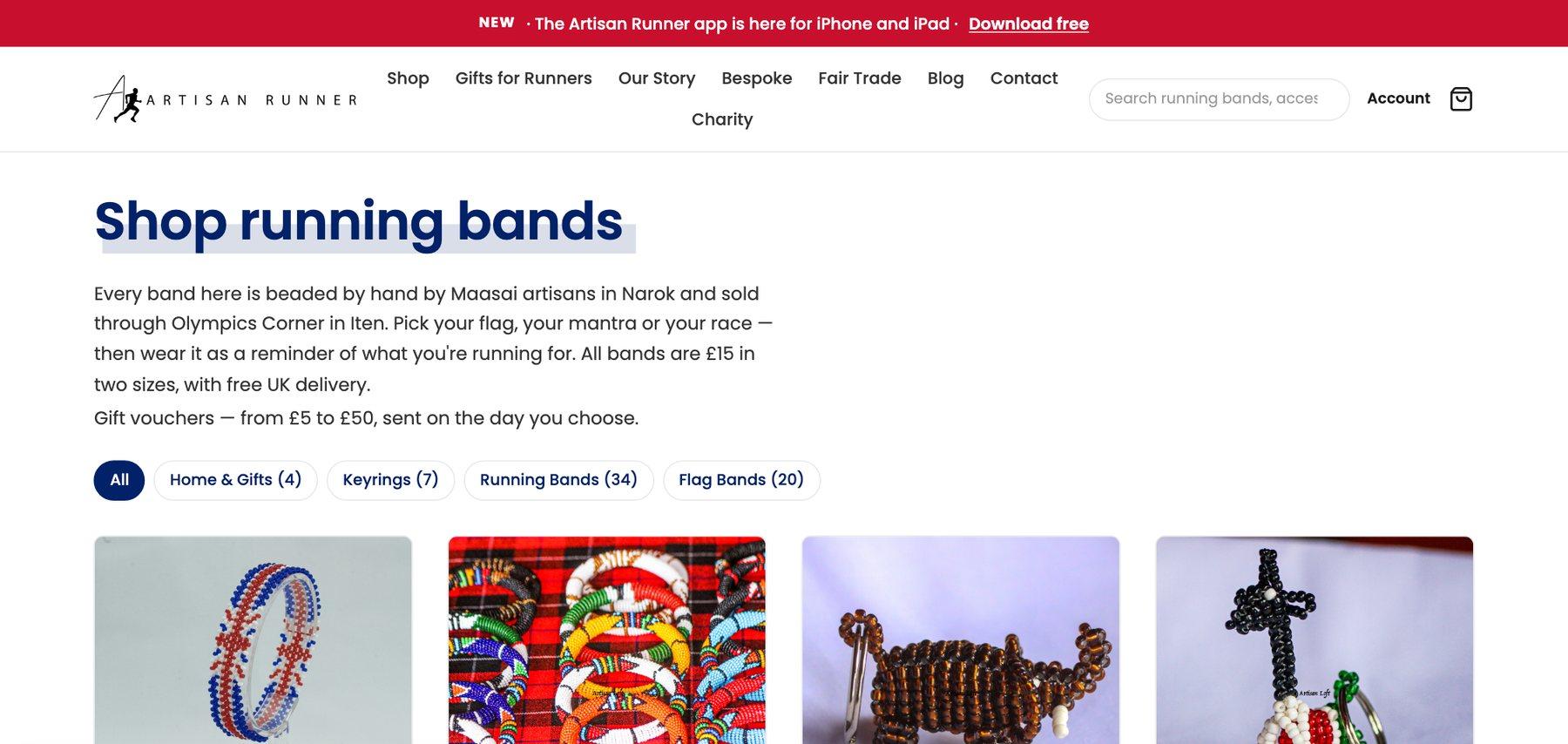
Our own shop, on the new platform
Flow 02
One platform, many sites
- 01Shared packagesPages, media, shop, payments, blog, bookings, templates and the design system.
- 02One version numberAll of them are released together, so “the platform at 3.0” means one thing.
- 03A repository per siteEach site installs the platform at a version and upgrades when it is ready.
- 04Its own brand and dataEvery site has its own theme, its own database and its own domain.
- 05One view above themA staff-only control panel lists every site, its add-ons, its renewals and its health.
The application
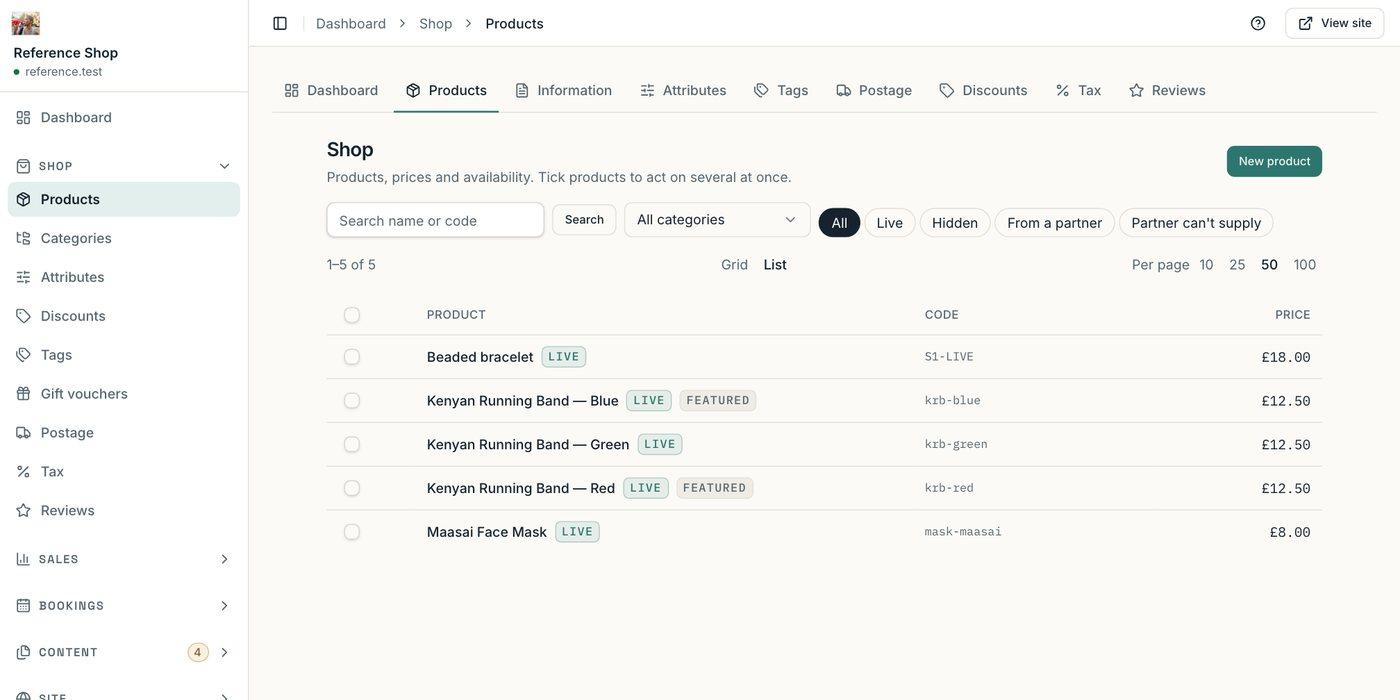
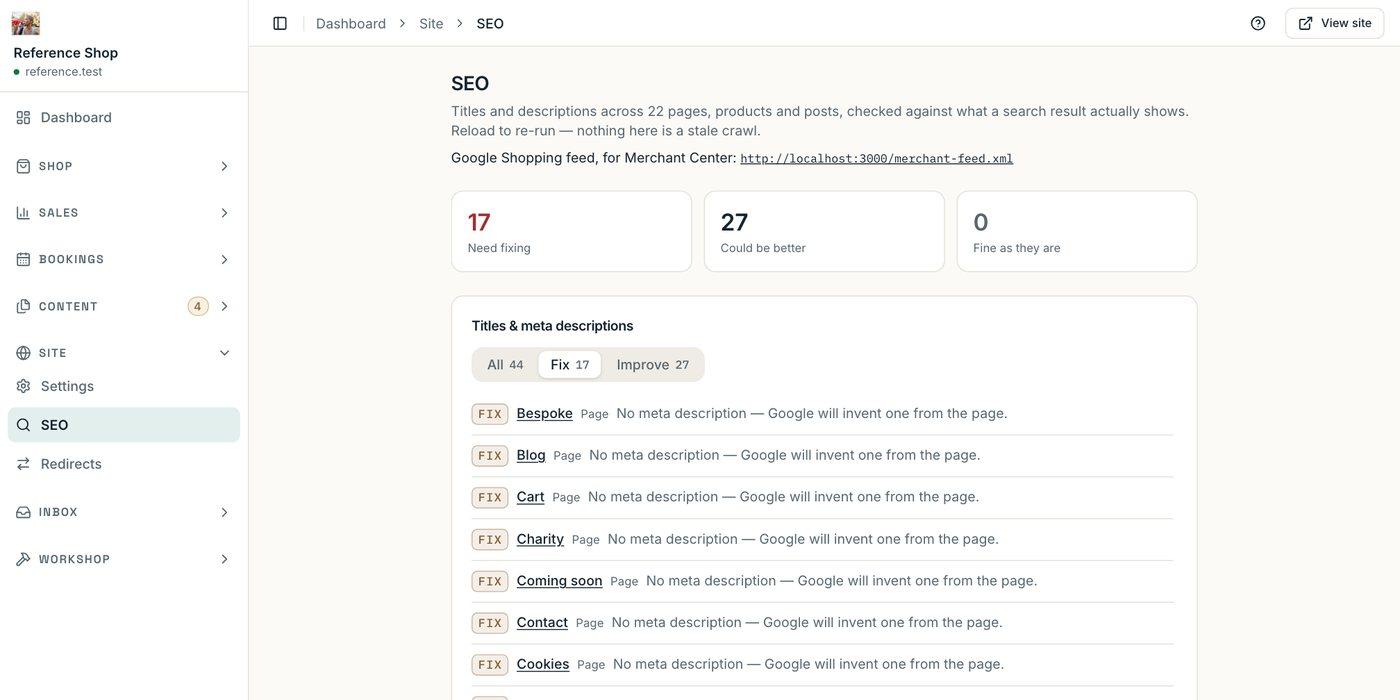
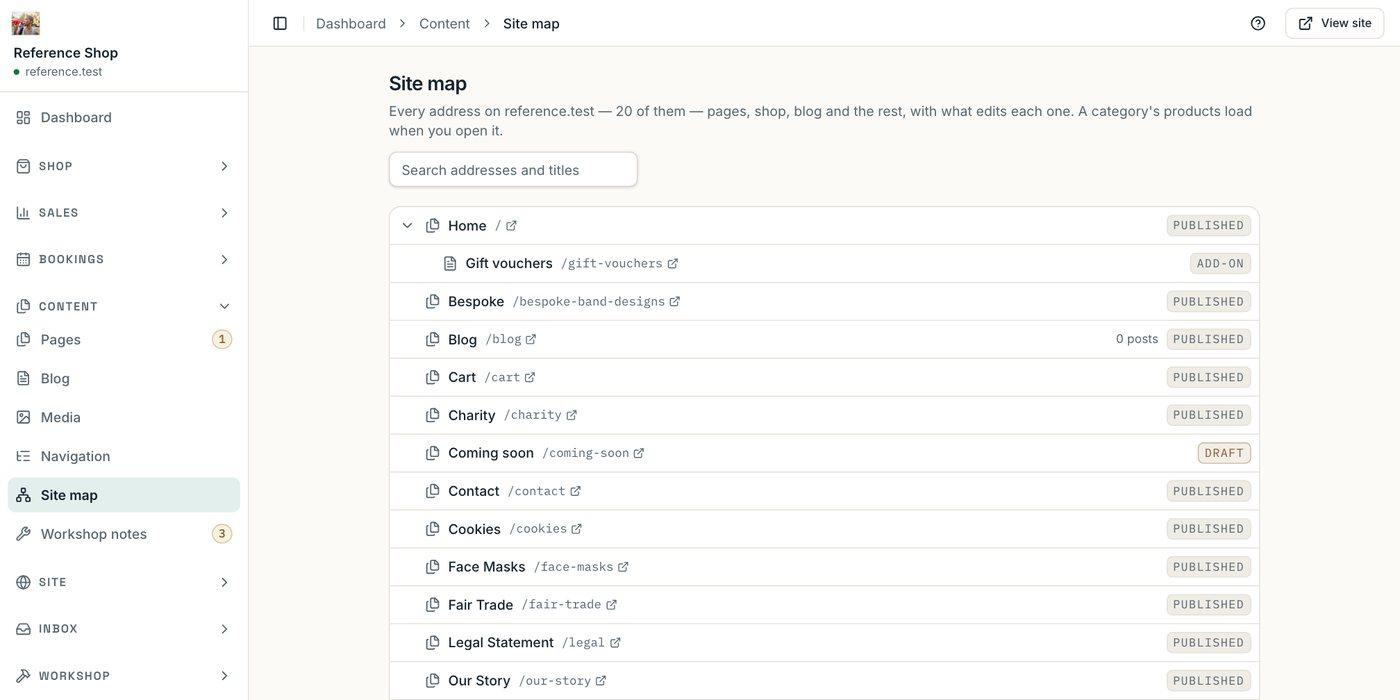
What staff work in every day
Flow 03
How a change reaches every site safely
- 01A change is madeOn its own branch, for one issue, by a person or by an AI agent working to the same written rules.
- 02CheckedTypes, lint and unit tests run across the whole workspace. Packages must keep 95% test coverage.
- 03Tested in a browserA made-up reference shop is built and driven end to end on desktop, iPad and iPhone.
- 04PublishedThe packages are released as a new version of the platform.
- 05Sites upgradeEach site takes the new version and runs its own browser tests before it goes live.
Decisions
What we would do the same way again
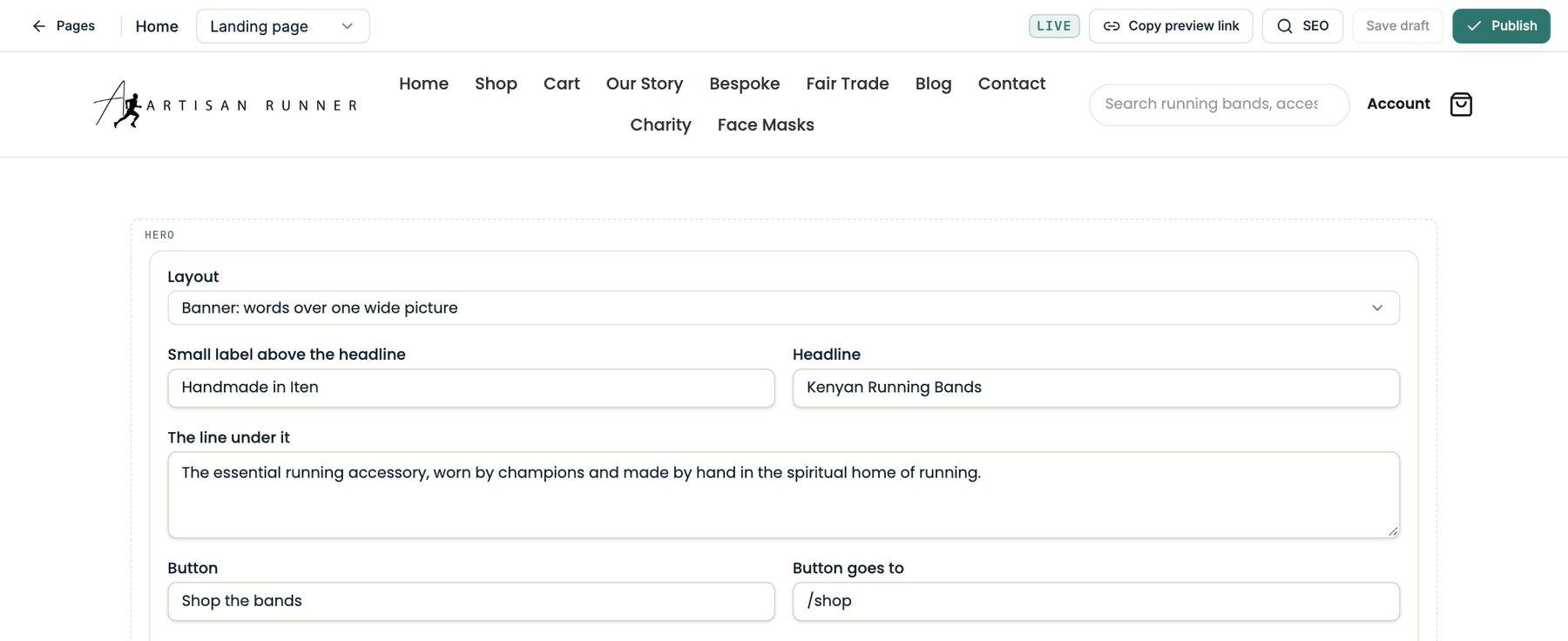
01Edit on the real pageStaff change words and pictures on the page as visitors see it, save a draft, share a preview link and publish when ready.
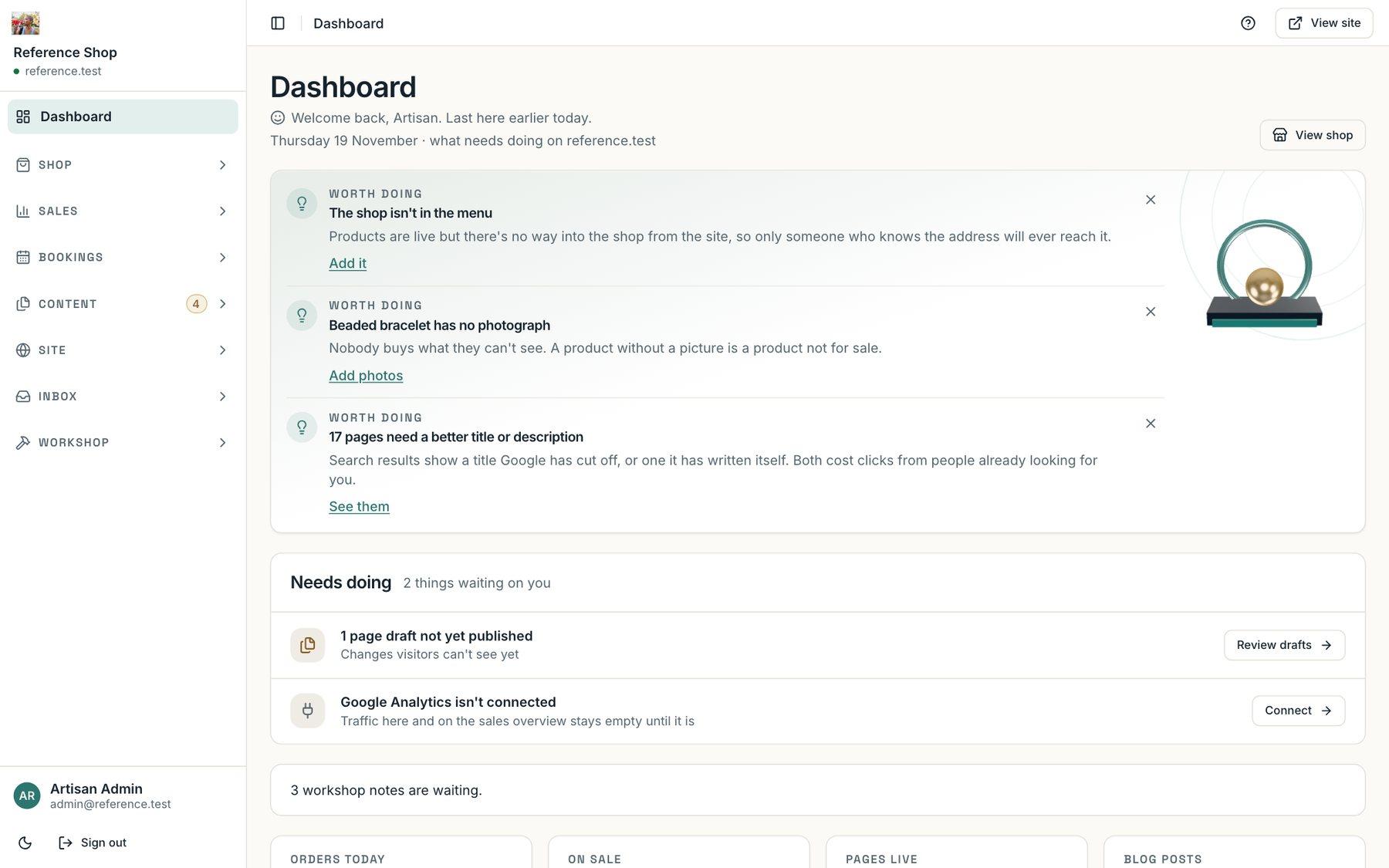
02The admin tells you what to do nextThe dashboard opens with what is worth doing: a product with no photograph, a page whose title search engines will cut off.
03AI with limitsThe chatbot has a monthly cap, a per-visitor allowance and a fixed polite no for anything off topic. When it cannot answer, it hands over to a person.
04Rename a page, keep the linkChanging a page’s address creates the redirect automatically, and menus follow the page.
05Pictures need wordsThe media library will not accept an image without alt text, which keeps every site accessible and visible to search.
06Written onceA fix made for one site arrives on all of them, tested, as the next version.